Moving to East Agile Tracker from Pivotal Tracker, Jira, Linear, Asana, Trello, Shortcut, GitLab, Plane or GitHub? Import your export with a dry-run preview first — what each source brings, and what stays behind.
East Agile Tracker imports from eleven sources. Ten read the export file the other tool already produces; GitHub connects to the repository directly. Every source goes through the same screen and the same preview, so the steps below apply to all of them. The sections after that list what each source brings across.
Import an export
Section titled “Import an export”- Export your work from the other tool — the section for your source below names the menu.
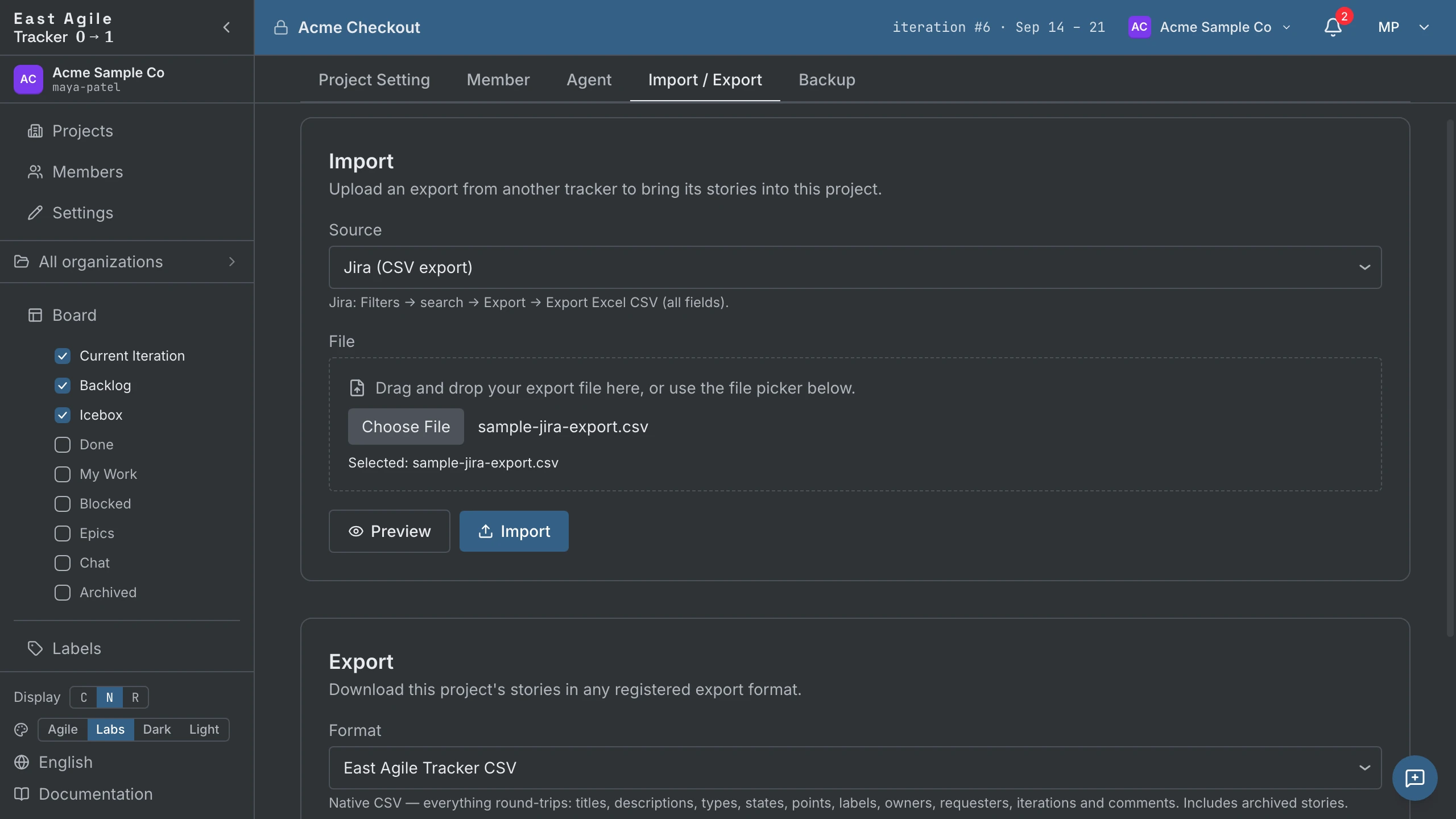
- Open Project Settings → Import / Export on the project you want the stories in. Create an empty project first if you need one.
- Choose the source and pick the export file.
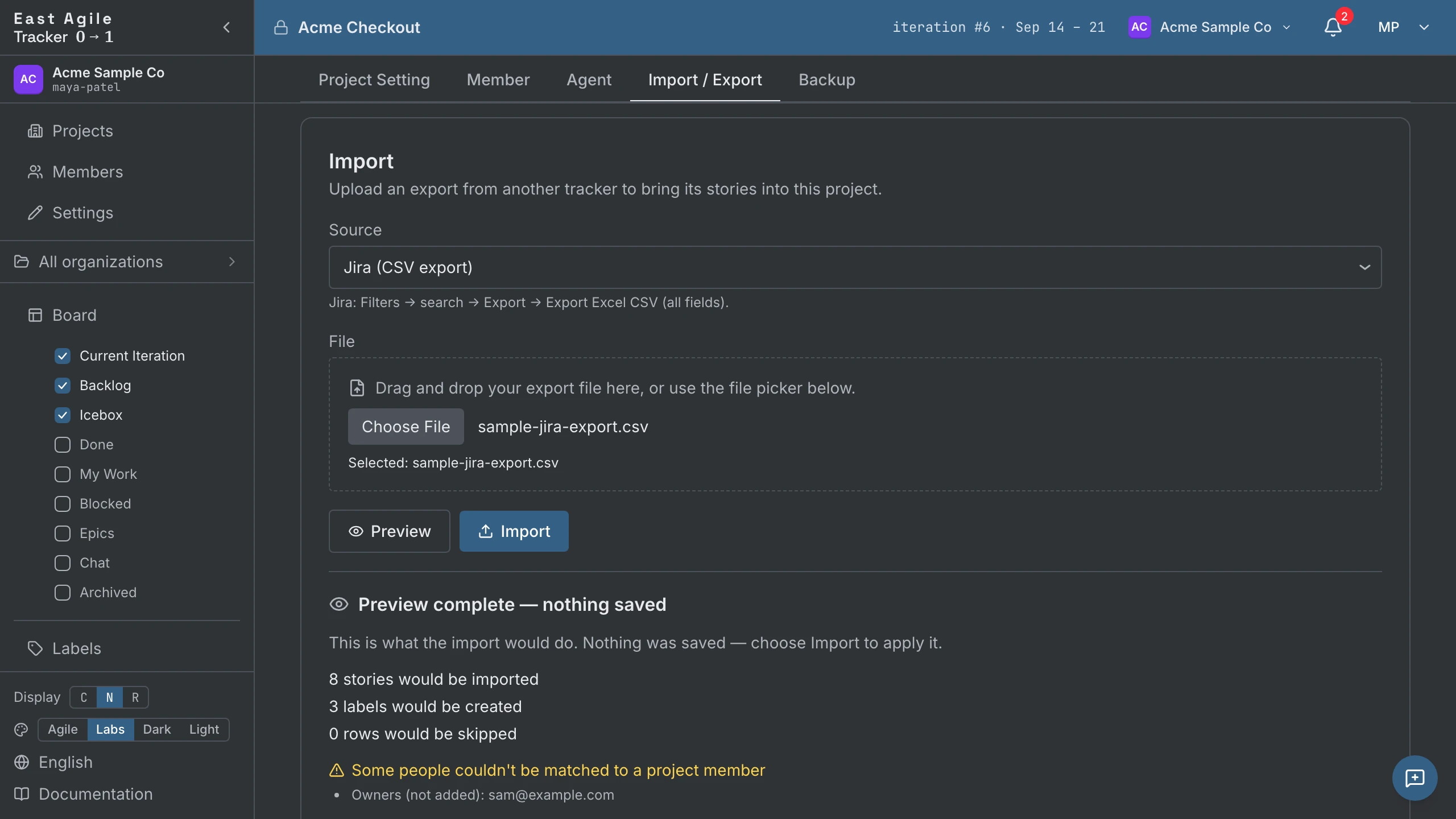
- Run the dry-run preview. It parses the whole file and reports what a real import would do — how many stories and labels, how many rows are skipped, and anyone it could not match to a member — and writes nothing.
- Import.
Re-importing the same file is safe. A row that was already imported is matched by its source id and skipped, so a second run tops the project up instead of duplicating it.
An upload is capped at 10 MiB, and a single import at 5,000 stories. A larger migration splits into batches, and because re-importing is idempotent the batches can overlap without creating duplicates.
What every source brings
Section titled “What every source brings”- Stories, states and labels. Each row or card becomes a story, its status lands on the nearest state of the unstarted → started → finished → delivered → accepted loop, and its labels come with it. A cancelled or won’t-fix status arrives rejected and archived, so abandoned work stays out of the board and out of velocity.
- Owners. A cell holding an email that matches a member attaches that member. Any other value — a display name, a username — attaches a display-only external person, so who owned what survives even for people who have no account here.
- Dates. Creation and completion dates are imported, so historical iterations and the charts that read them are populated rather than empty.
- Iterations, for every source whose export carries sprints or cycles.
Requesters, comments, epics and tasks depend on the source; its section below says which.
What does not come across
Section titled “What does not come across”- Attachments. No importer carries files. The stories arrive without them.
- People as accounts. An owner, requester or commenter who is not already a member attaches as a display-only external person. Nothing is dropped and nothing is misattributed, but no account is created and no invitation is sent — invite them normally and their history is already attached.
- Last-modified dates. There is no
updatedtimestamp on the way in. - Workflow nuance. Custom statuses collapse onto the nearest state in the loop above. The dry-run preview is where to check a sample before importing a large project.
From Pivotal Tracker
Section titled “From Pivotal Tracker”Source: Pivotal Tracker (CSV export). Pivotal Tracker shut down on 30 April 2025, so there is no live service to export from any more; a CSV export kept from before the shutdown is what this importer reads. The board, the story states and the acceptance loop follow the same model, so an imported project reads the way it did.
| Pivotal Tracker | Becomes |
|---|---|
Title, Description | The story’s title and description. The URL column is kept as the story’s provenance, and a View original issue link is added to a description that has text in it. |
Type | The story type — feature, bug, chore and release all have a direct equivalent. |
Current State | The story’s state. |
Estimate | The story’s point estimate. |
Labels | Labels, one per value. |
Owned By | Story owners. Pivotal repeats this column per owner and every one is read. |
Requested By | The story’s requester. |
Comment (one column per comment) | Story comments, with the original author and the original timestamp. |
Task / Task Status | Tasks on the story, with completed tasks arriving completed. |
Blocker / Blocker Status | Blockers, with resolved ones arriving resolved. |
Type=epic rows | Real epics, rebuilt and joined to the stories that reference them, with the epic’s description. |
Iteration, Iteration Start | The iteration grid. Stories from an iteration that had not begun stay in the Backlog, ranked by sprint. |
Created at, Accepted at | The story’s creation and completion dates. |
Deadline | A release story’s planned date. |
A Pivotal export has no work-start column, so cycle-time figures stay empty for imported stories. An epic row that no story references creates nothing, because epics are rebuilt through their member stories.
From Jira
Section titled “From Jira”Source: Jira (CSV export). In Jira, search for the issues you want, then use Export → Export Excel CSV (all fields). Take the all-fields export — the current-fields export omits the sprint, story-point and comment columns.
| Jira | Becomes |
|---|---|
Summary | The story’s title. A row with an empty summary is not imported. |
Description | The story’s description, converted from Jira wiki markup to markdown. Headings, bold, code blocks, lists and links convert; anything else is kept as literal text. |
Issue Type | The story type — Bug becomes a bug, Story and Feature become features, and Task becomes a chore. |
Status | The story’s state. |
Priority | The story’s priority, from Highest down to Lowest. |
| Story-points custom field | The story’s estimate. The first column whose header mentions story points is used, so Custom field (Story Points) and Custom field (Story point estimate) both work. |
Labels | Labels, one per value. |
Fix Version/s | A Release: <version> label per value. |
Sprint | The iteration grid. Jira repeats the column once per sprint an issue passed through, and the last one is where it ended up; a named sprint also survives as a Sprint: <name> label. |
Assignee | The story’s owner, as a display-only external person — a Jira CSV carries no email address to match a member against. |
Reporter | The story’s requester, by the same rule. |
Comment (one column per comment) | Story comments, each with its original author and timestamp. |
Sub-task issues | Tasks on the parent story, with done sub-tasks arriving complete. A sub-task whose parent is missing from the file becomes a story of its own. |
Epic issues | A label named after the epic, applied to every child issue in it. |
Issue key | Appended to the description as plain text (Original issue: PROJ-12). |
Created, Resolved | The story’s creation and completion dates. |
A Jira epic arrives as a label on its children rather than as an epic record: the grouping survives and is searchable, the epic’s own description does not. Jira exports sprint names but not their dates, so iterations are ordered by sprint name.
From Linear
Section titled “From Linear”Source: Linear (CSV export) — in Linear, Workspace settings → Import/Export → Export CSV.
Assigneebecomes the owner andCreatorthe requester.Projectbecomes the story’s epic.- Sub-issues become tasks on their parent story.
- Cycles build the iteration grid; a cycle that has not started keeps its stories in the Backlog, ranked by cycle.
- The
Startedcolumn is read, so cycle time works for imported stories. - Linear’s CSV has no type column: a story labelled
Bugarrives as a bug, otherwise as a feature. - Linear’s CSV export has no comments, and archived issues are skipped.
From Asana
Section titled “From Asana”Source: Asana (CSV export) — in Asana, Project menu → Export/Print → CSV.
Assigneebecomes the owner, matched to a member throughAssignee Emailwhen there is one.- Tags become labels.
- Subtasks become tasks on their parent story.
- A task with a
Completed Atdate arrives accepted. - Asana’s CSV has no creator column and no comments, so the importing member is the requester.
From Trello
Section titled “From Trello”Source: Trello (JSON export) — in Trello, Menu → Print and export → Export as JSON.
- Each card becomes a story, and the list it sits in sets its state (
To Do,Doing,Doneand similar names). - Members on a card become owners.
- Comments come across with their authors and timestamps.
- Checklist items become tasks.
- Labels keep their names and colours; a label with a colour and no name arrives as
Trello-<colour>. - An archived card arrives archived.
- A card labelled
Bugarrives as a bug. Trello has no epics and no estimates, so neither is created.
From Shortcut
Section titled “From Shortcut”Source: Shortcut (CSV export) — in Shortcut, Settings → Import/Export → Export to CSV.
ownersbecome owners andrequesterthe requester.epicbecomes the story’s epic.tasksbecome tasks on the story; the CSV records no done flag, so they arrive open.- Iterations build the iteration grid.
- The
started_atcolumn is read, so cycle time works for imported stories. - An archived story arrives archived. Shortcut’s CSV has no comments.
From GitLab
Section titled “From GitLab”Source: GitLab (CSV export) — in GitLab, open the issues list and use Export as CSV; GitLab emails the file to you.
- An open issue arrives unstarted, a closed one accepted.
Weightbecomes the estimate.- The assignee becomes the owner and the author the requester.
- The issue’s URL is kept as its provenance.
- Turn on Include milestones to make each milestone an epic; with it off, the milestone column is ignored.
- GitLab’s issue CSV has no comments.
From Plane
Section titled “From Plane”Source: Plane (CSV export) or Plane (JSON export) — in Plane, Workspace settings → Exports.
- Every assignee becomes an owner.
- Comments come across with their authors and timestamps.
- Plane’s state groups set the state; a cancelled issue arrives rejected and archived.
- A cycle builds the iteration grid and also survives as a
Cycle: <name>label; a module becomes aModule: <name>label. - Plane exports have no creator column, so the importing member is the requester. Plane exports no work-start date, so there is no cycle time.
From GitHub
Section titled “From GitHub”Source: GitHub (Issues via API). Enter the owner and repository instead of uploading a file. Issues become stories with their assignees, author, labels, comments and checklist items; pull requests, milestones (as epics) and releases are opt-in. Tokens, rate limits and the rest are on Populate a project from a GitHub repo.
From another East Agile Tracker project
Section titled “From another East Agile Tracker project”Source: East Agile Tracker (native export) — on the other project, Settings → Import / Export → Download export. This is the lossless path: followers, reviewers, epics, tasks, blockers, links and the Icebox all come back, and owners re-attach to members by email.
After the import
Section titled “After the import”The stories are ordinary stories — the state machine, iterations and velocity all apply. The same screen exports the project again later, to the East Agile Tracker format for a lossless copy or to any of the other tools’ shapes; see Operating Instructions → Exporting a project.
Create a project and import your export — the importer is on every project’s settings screen.